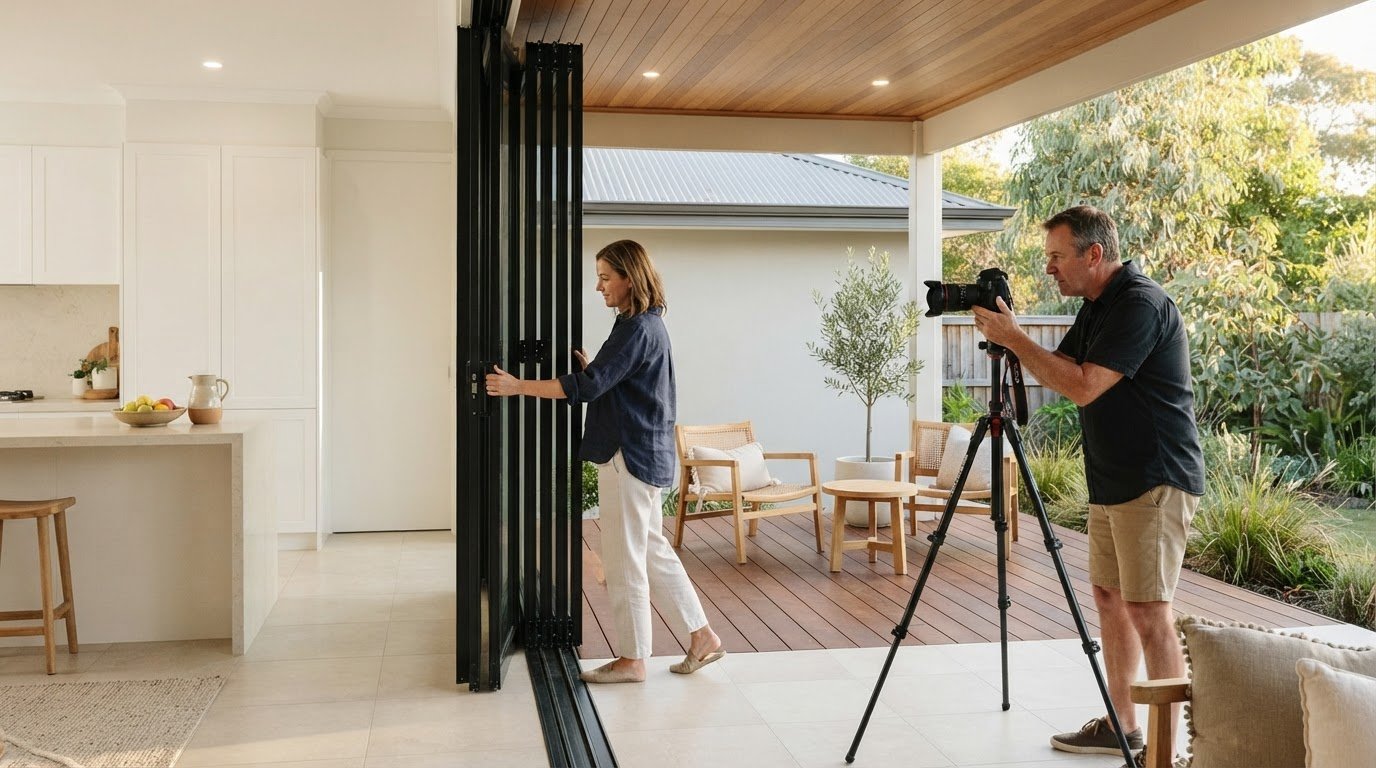
A property ad needs more than attractive photos to generate useful leads. Start by clarifying what the home offers, who you want to reach and what action you want them to take.
If you’re creating a Facebook ad for your property, it’s understandable to wonder which images, wording and settings will make a difference. A thoughtful plan can help your listing stand out while keeping the message focused on what makes the home and its neighbourhood appealing.
This guide walks you through planning property posts, choosing an advertising goal and format, setting a budget and making it easy for interested buyers to respond. You’ll also see how each choice connects to lead generation, so you can approach the process with greater confidence and give potential buyers a clear next step.
Key Takeaways
- Choose clear property photos and copy that highlight the home’s most appealing features and give buyers a straightforward next step.
- Set an advertising goal and audience around the response you want, such as enquiries from prospective buyers.
- Match the ad format to your property content and make sure the message works well for people viewing on mobile.
- Set a budget around your campaign priorities, then review how people respond to promoted posts and ads.
- Make it easy for interested buyers to enquire, and plan how you’ll respond so each lead has a clear path forward.
Choosing content and a posting schedule
Lead with a detail that helps buyers picture daily life at the property. A bright kitchen, sheltered courtyard or nearby park could each anchor a post. High-standard presentation is essential before taking photos, and residential providers like Advance Cleaning Services Inc. illustrate how thorough pre-listing cleaning helps rooms look their best on camera. Choose photos that show the home clearly, then pair them with concise copy about its features and setting. For example, an image of the courtyard could sit beside a line about enjoying morning coffee outdoors. Focus each post on one appealing idea instead of cramming every selling point into a single caption.
Prepare a small set of varied posts before promoting one. A room photograph can introduce the home, while a floorplan helps buyers understand how spaces connect. A neighbourhood post can mention nearby cafés, transport or green space, where those details genuinely apply. Use accurate property information and captions that explain what each image shows. A Facebook Page cover photo should be 851×315 pixels, so prepare that image to suit the Page layout rather than assuming a listing photo will fit.
Give every post a clear next step. If you want buyers to ask questions, choose a Page call-to-action button that leads to an enquiry or message. If they need more details first, send them to the listing. Make sure the button and caption match: a post inviting inspection enquiries shouldn’t lead somewhere unrelated. Before publishing, follow the link as a buyer would and check that the next step is obvious.
Match the campaign type to your goal. An organic Page post reaches people who already follow the Page. A promoted post adds paid distribution to existing content, while Meta Ads Manager lets you set a campaign objective and audience. For instance, introduce a new listing with a post, then promote it if you want to extend its reach. Your goal and audience will help determine which approach to use.
Plan a schedule around useful updates, not repeated sales copy. You could introduce the home, follow with a floorplan, then highlight a local feature. Keep each post grounded in accurate property information and leave time to answer buyer questions. If inspection times or listing details change, update the post before promoting it. A simple calendar can track each post’s topic, image, caption and destination, keeping the buyer journey consistent.
Preview the post on a phone and desktop before launching. Check that the main image is clear, the opening lines identify the property and the call to action works. A thoughtful sequence can help buyers understand the home, from its rooms to its setting, without making every post feel like a repeat advertisement.
Setting Facebook Page goals and target audiences
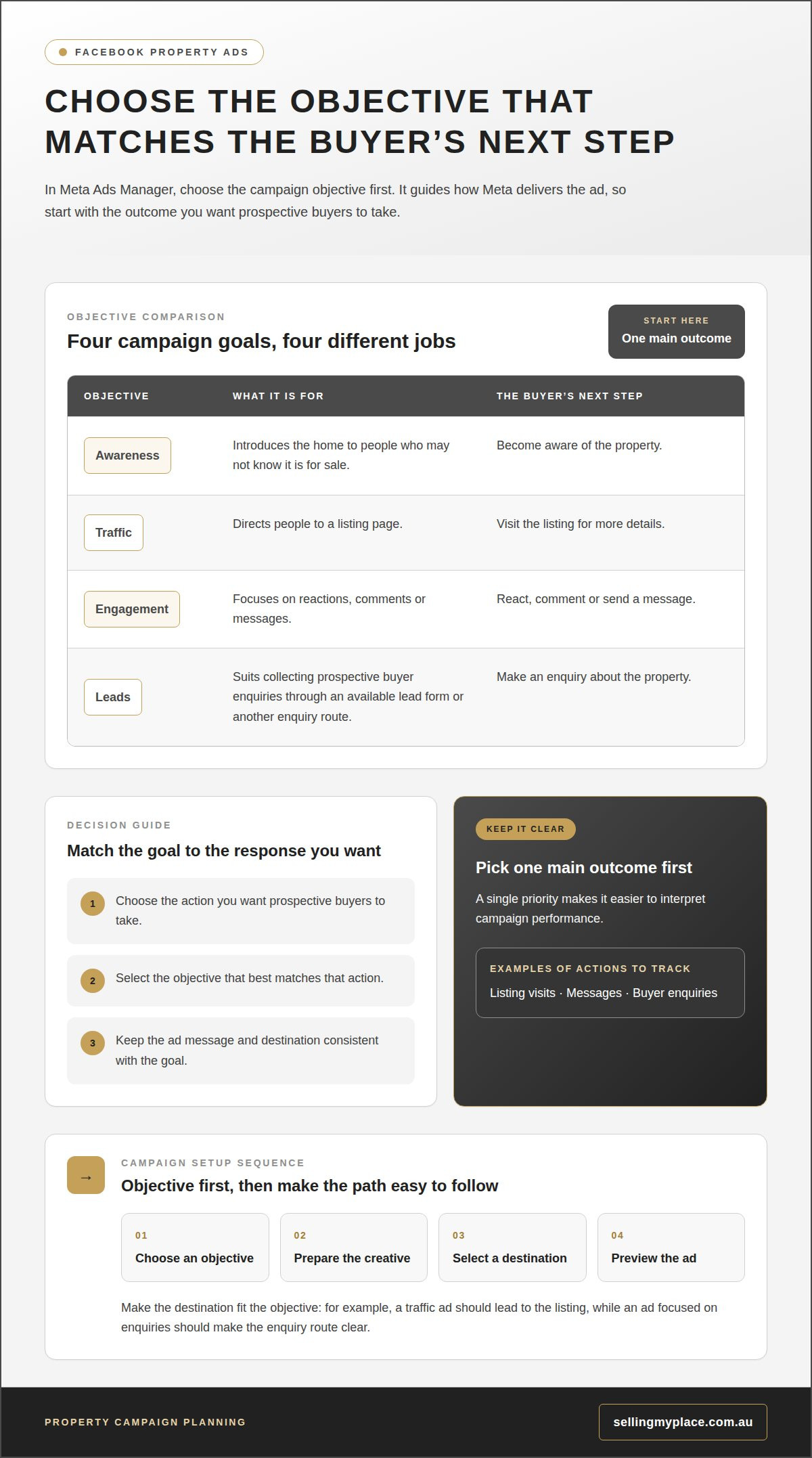
Set one clear goal before building your property campaign. You might want to attract buyer enquiries, encourage messages or drive visits to listing details. Choose the outcome that matches the next step you want buyers to take. If they need more information before enquiring, send them to the listing. If they’re ready to ask about the home, make messaging easy to find.
Define the audience based on the property and its likely appeal. A family home near a school may appeal to buyers interested in local amenities, while an apartment near public transport may attract those prioritising convenience. Specialist acreage listings—such as those showcased on Colorado Horse Property—require targeting buyers focused on land and rural facilities. Let the property’s setting and features guide your campaign choices. Keep the audience relevant to the home rather than trying to reach everyone across Australia.
Do Facebook housing ads have special targeting restrictions in Australia? Yes. Some housing promotions may have limits on how audiences can be targeted. In Ads Manager, identify the campaign as housing when prompted, then use the audience options available for that category.
AI-powered campaign targeting can automate parts of audience selection and ad delivery. Set a clear objective, such as generating enquiries, and provide accurate property details with a relevant destination. Automation can help find people likely to take the chosen action, but results still depend on the goal and information supplied. For example, an ad optimised for messages should make the property and enquiry route clear, rather than sending people to a general Page without an obvious next step.
How can I measure and improve the results of a Facebook property ad? Track actions that match your goal, such as listing visits, messages or buyer enquiries. Compare them with reach and clicks to see whether people move beyond viewing the ad. If clicks don’t lead to enquiries, review the destination and call to action. If engagement is low, try a different image or opening line while keeping the audience and goal steady.
Use Meta Ads Manager to review campaign results and make one deliberate change at a time. For instance, compare a photo-led version with a floorplan-led version, then note which attracts more meaningful enquiries. Keep a simple record of the objective, audience, creative and response. This makes it easier to spot patterns without mistaking a high number of clicks for strong buyer interest. A property sale strategy discussion can also help connect advertising decisions with the wider plan for presenting a home.
Facebook ad objectives and formats
To create a Facebook ad for a property in Australia, use Meta Ads Manager to choose a campaign objective, prepare the creative, select a destination and preview the ad before publishing. Match each choice to the action you want prospective buyers to take, such as viewing the listing or sending an enquiry. Choose the objective first, as it guides how Meta delivers the ad.
For a property campaign, decide whether your priority is awareness, traffic, engagement or leads. Awareness introduces a home to people who may not know it is for sale. Traffic directs people to a listing page, while engagement focuses on reactions, comments or messages. A leads objective suits collecting prospective buyer enquiries through an available lead form or another enquiry route. Pick one main outcome first so you can interpret performance clearly.
Choose a format that presents the property clearly. A single-image ad focuses attention on one strong feature, such as a light-filled living room. A carousel can show multiple rooms or combine interiors with a floorplan, so viewers can explore at their own pace. Video can guide buyers through connected spaces, while a collection-style format brings several visuals together. The best option depends on the material you have and the story you want to tell.
Make the creative, copy and destination work together. If a carousel shows a renovated kitchen, living area and garden, the listing page should give details about those features. Use a concise headline to identify the property or its standout appeal, then add useful context in the main text. Don’t claim features the home doesn’t have. The call to action should lead to a logical next step, such as viewing the listing or enquiring about the property.
Review the ad from a buyer’s perspective before publishing. Check that the opening image is clear, the text is easy to scan and the destination works. Confirm that the objective matches the action you want. A campaign seeking messages needs a simple way to start a conversation; a traffic campaign needs a relevant landing page. Preview placements to catch cropped images or text that’s difficult to read.
Once the ad is live, assess results against its objective rather than relying on reactions alone. For a traffic campaign, consider whether people reach the listing. For a leads campaign, focus on the quality and relevance of enquiries. If the response is weak, change one element at a time, such as the first image, headline or format. That makes it easier to identify which adjustment improves the buyer journey.
Facebook advertising budgets and promoted posts
Set a spending limit before promoting a property post in Meta Ads Manager. Decide what the campaign should achieve, how long it should run and which post merits paid reach. For example, promote a post that already explains the home clearly rather than paying to boost an incomplete announcement. Keep the budget aligned with your marketing priorities, not an expectation of guaranteed enquiries.
A promoted post adds paid distribution to content already published on your Facebook Page. It can suit a listing update, inspection announcement or post about a distinctive feature. Before boosting, make sure the property details are current and the call to action leads somewhere useful. If the post invites enquiries, check that the enquiry route is active and easy to follow.
What Australian laws and rules apply to advertising a property on Facebook? Keep descriptions, images and claims accurate, and ensure the ad reflects the property for sale. Housing promotions may also require Meta’s special ad-category settings, which can affect the targeting options available.
Choose a budget and campaign period with a specific purpose in mind. A short promotion for an upcoming inspection has a different role from ongoing exposure for a new listing. Review the spending controls Meta Ads Manager shows for your campaign before publishing. Consider how the audience, creative and objective work together, then set a limit you’re comfortable allocating.
Don’t judge a promoted post by reactions alone. A property post can get likes without reaching buyers ready to enquire. Review the responses that match your goal, such as listing visits or buyer messages. If the post gets attention but few useful enquiries, check the destination, property details and next step before increasing spend. Change one element at a time to understand what improved the response.
What are common scams, privacy risks, or mistakes in Facebook property advertising? Be alert to suspicious links in messages, requests for financial details and accounts impersonating buyers or property representatives. Don’t publish personal information or details that could compromise the home’s security. Before promoting a post, correct outdated inspection times, inaccurate features and images that misrepresent the property.
Keep a simple campaign record in a spreadsheet, noting the post, objective, audience, dates, budget and enquiry quality. This makes comparisons more useful than relying on memory. If a listing post gets clicks but no relevant enquiries, for example, test a clearer call to action before changing the budget. Edit or pause content when details change so the promotion continues to reflect the current offer.
Generating leads with ads
A lead is a prospective buyer who takes a clear step, such as sending an enquiry or requesting property details. Build the ad around that action and make the response path easy to follow. Someone interested in a townhouse should be able to move from the ad to relevant details without searching through unrelated Page posts. A clear path helps turn attention into a conversation.
Choose whether to send buyers to an instant form or a property listing page. A Facebook lead form lets interested people submit details within the platform. A listing page gives them space to review the home before contacting you. Use a form when direct enquiries are the priority, or a page when buyers need more context first. Keep the call to action consistent with the destination.
Ask only for information that helps move the enquiry forward. A name and preferred contact method may be enough to begin a conversation. If you ask about an inspection, give people a clear way to share their preferred timing. Too many fields can make a form feel burdensome, while too few may make it harder to understand what the buyer wants. Make the purpose of every field clear.
Set clear expectations in the ad copy. Explain what happens after someone enquires, such as receiving property information or discussing an inspection. Don’t suggest that submitting a form means a buyer has secured the home. Straightforward wording helps people decide whether to take the next step and supports a more useful first conversation.
Plan how to handle enquiries before the campaign starts. Decide who will review new leads, where details will be recorded and how responses will be organised. A simple spreadsheet can track the property, enquiry date, buyer’s question and response status. Label an enquiry “inspection request” or “floorplan query”, for example, so your reply addresses the buyer’s actual interest.
Assess lead quality as well as volume. A campaign may attract form submissions, but the important question is whether those contacts are relevant to the property and want to take a genuine next step. Compare the wording, format and destination used for relevant enquiries. If leads ask for details already shown in the ad, make that information clearer. If they’re unrelated, review the audience and campaign settings.
Keep testing focused: adjust one element, such as the form introduction or headline, then review the response. For practical support aligning your property campaign with the sale, get tailored property advertising guidance.
Kincade International Direct Sales
Kincade International Direct Sales can help connect your Facebook advertising decisions with the wider plan for selling your home. Its real estate advisory services and pre-sale property consulting can support decisions about presenting the property, while residential property listing services provide a broader framework for reaching prospective buyers. This is useful when you’re planning an ad but also need to consider how it fits your listing, property information and sale strategy. A neighbourhood market report can add local context to the details you share with buyers. For guidance on how your advertising fits into your property sale, contact Kincade International Direct Sales.
Take your next step with confidence
A Facebook campaign is one part of preparing your property for sale. Next, align how you present the home with the wider sale plan, including how prospective buyers can learn more and enquire. If you’re creating a Facebook ad for your property, keep the full buyer journey in mind as you decide what support you need.
Kincade International Direct Sales offers Residential Property Listing Services, Buyer Representation and Pre-Sale Property Consulting. These services can support different stages of a sale, from preparing before launch to helping buyers navigate their search. Choose the guidance that suits your needs, whether you’re planning your sale or considering the buyer’s perspective.
Contact Kincade International Direct Sales to discuss your property plans and the support that may suit your next step. A considered plan can help you move forward with clarity and care.
Frequently Asked Questions
How much does Facebook advertising cost in Australia for property listings?
Facebook advertising costs depend on the budget, campaign duration, objective and competition for the audience. In Meta Ads Manager, choose a daily or lifetime budget and set a spending limit before publishing. A campaign seeking buyer enquiries may spend differently from one focused on listing visits because Meta delivers ads according to the selected objective. Review spending alongside relevant enquiries, not just clicks or reactions.
How do I target buyers or renters for a property ad on Facebook?
For a property ad, select the housing category where Meta requires it, then use the audience options available for that campaign. Keep the property’s location and genuine features central to the message. For example, accurately describe the home’s proximity to public transport rather than relying on narrow demographic assumptions. Whether advertising a sale or rental, make the terms and enquiry destination clear.
What ad format works best for selling or renting a property on Facebook?
Choose a format based on what buyers or renters need to understand before enquiring. A carousel can showcase several spaces, such as bedrooms, outdoor areas and shared facilities. A single image suits a home with one strong visual feature, while a lead form supports direct enquiries. Match the format to the listing details and make sure the destination answers the questions raised by the ad.